 Project details
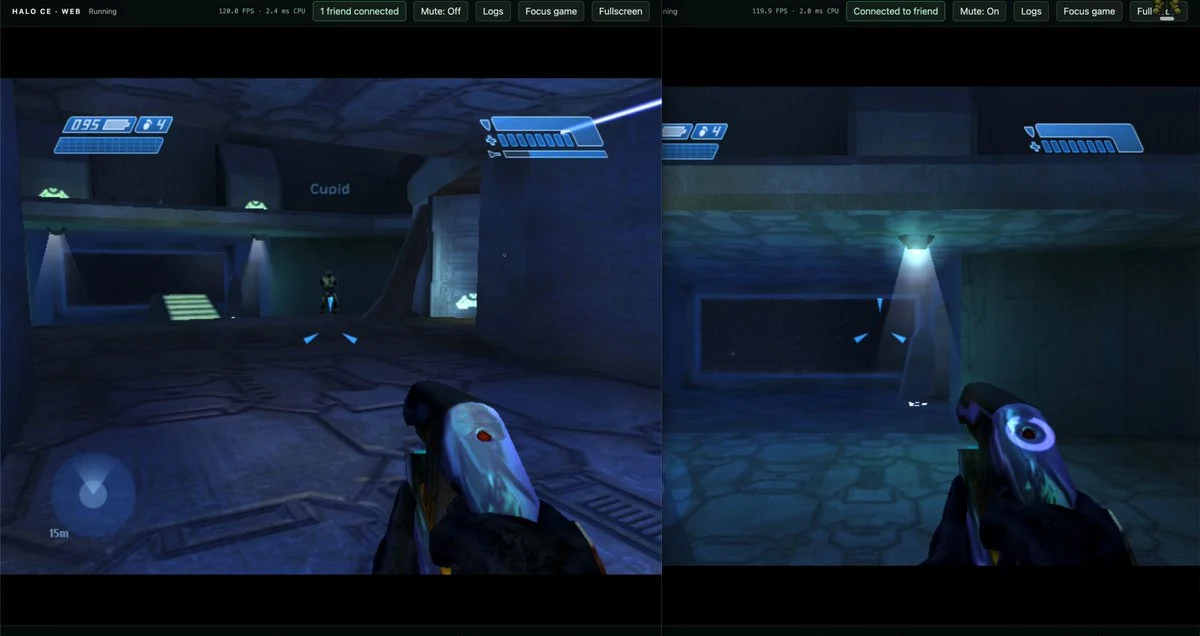
Get started
Start Halo CE Web with your own Xbox disc image
The browser build needs original Xbox Halo: Combat Evolved data supplied by you.
Project details
What you need
A desktop browser, mouse and keyboard, plus an XISO made from your own Xbox Halo: Combat Evolved disc. The picker accepts .iso and .xiso extensions.
Your first launch
Open the author’s web build
Use Mitchell Hynes’s Halo CE Web page. Wait for the runtime and the Choose your Halo XISO dialog.
Select your XISO
Click Choose XISO and select your locally prepared Xbox disc image. Wait for the page to finish reading it; changing a file extension does not make another format compatible.
Focus the game
After the game starts, click the game area or Focus game to capture the mouse. The displayed controls use WASD to move and the mouse to aim.
Before you continue
No game data was loaded during this review. The site supplies no Halo data; do not substitute a PC installer or MCC files. Exact disc-region and browser-version compatibility were not established.
Official instructions
Documentation checked

Based on official sources. RemakeList has not run these projects or verified their performance on your device.