 Back to directory
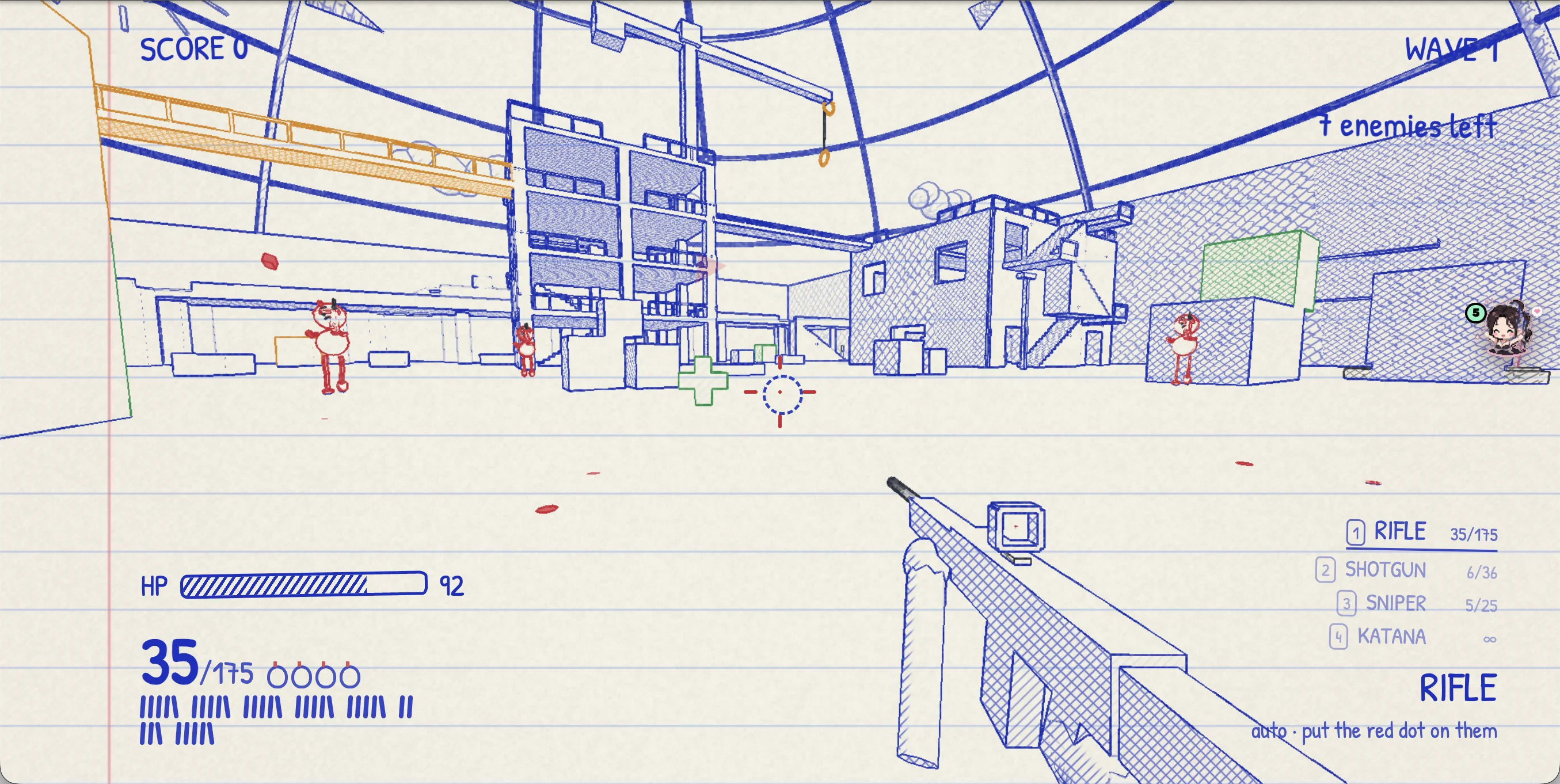
Discover Doodle District, a free notebook-style browser FPS. Find the official game, desktop controls, solo survival and steps for joining friends online.
Curated collections
Before you start
- Platform
- Desktop browser · keyboard / mouse / controller
- How to start
- In browser
- Game files
- No files to supply
File requirements
No original game files required; visuals and music are generated procedurally.
Based on public documentation; full builds and playthroughs have not been tested. Project documentation 
Start playing
- Open the game using the button above. Use a desktop browser with a keyboard and mouse, or a controller; this guide does not establish touch-screen or phone support.
- Choose Solo for survival waves, or Free for all for online matches. Free for all supports up to 10 players, with a 20-kill target and a 10-minute limit.
- Check the controls below before entering a match. No original commercial game files are required.
Essential keyboard and mouse controls
- Move / look
- WASD / mouse
- Sprint / jump
- Shift / Space
- Fire / aim
- Left / right mouse button
- Grapple
- Q or E; hold to reel in
- Slide / air dash
- C or Ctrl
- Reload / menu
- R / Esc
Join friends online
Under PLAY ONLINE, choose Quick Play to enter a public lobby or create one. You can also host a public or private lobby, or enter a friend’s five-letter room code.
Multiplayer depends on WebRTC connectivity. If a connection fails, check the author’s current instructions; RemakeList has not verified multiplayer matches.
Official play instructions
Guide checked against the author’s documentation on 21 October 2026. RemakeList has not completed a playthrough or tested multiplayer. The source is public, with no license specified.
What it recreates
Survival shooting reimagined as a battle drawn on notebook paper. An original game rather than a remake of a specific commercial title.
What’s different
Code generates the paper, ink, hatching, characters and music. Grappling, slides and katana parries give the hand-drawn world a fast movement system.
What you can use today
Play solo survival in the browser, with online matches also offered. Use desktop mouse and keyboard or a controller. WebRTC connectivity depends on the network; multiplayer matches have not been tested here.
Sources & notesSources checked:
The author README describes the original notebook FPS, procedural assets, solo play and WebRTC matches, and links to this deployment.
Sources checked: 2026-10-12 · Based on public documentation; full builds and playthroughs have not been tested.