 Back to directory
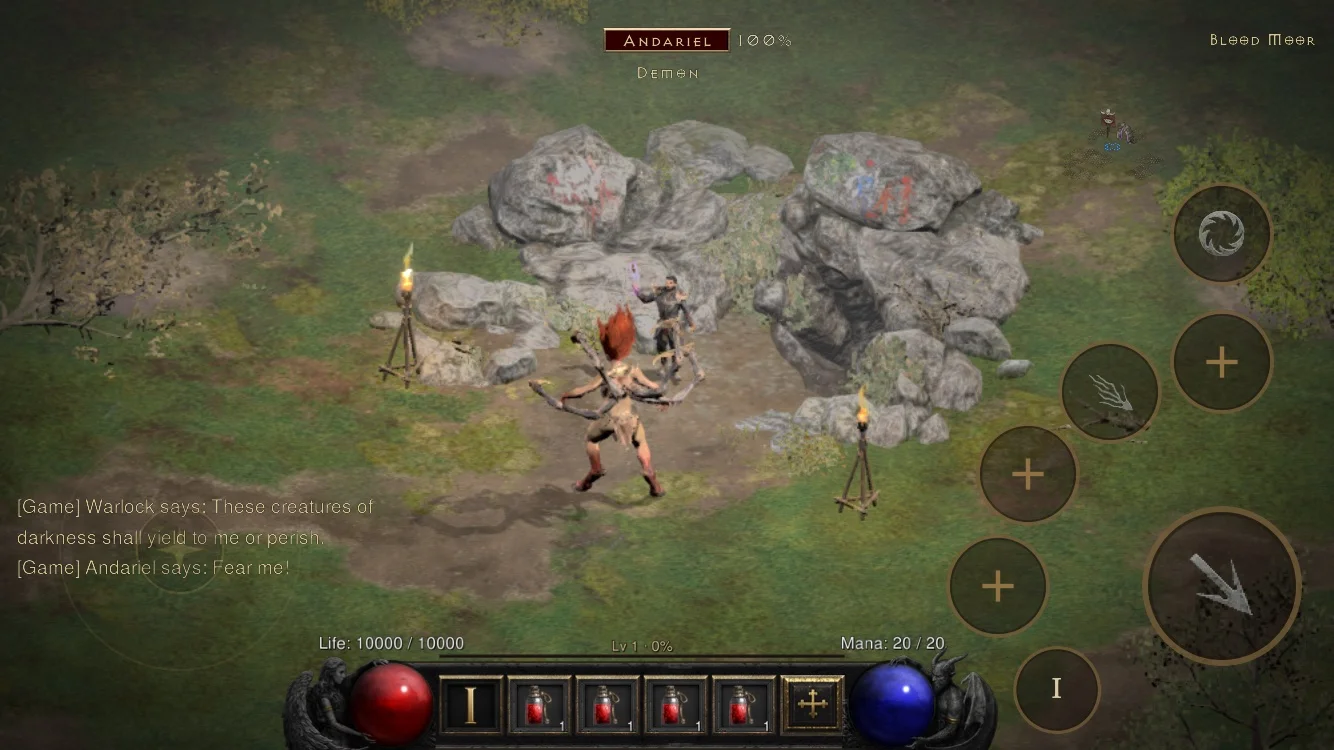
A compatibility layer for your own Switch Diablo II: Resurrected and Reign of the Warlock files on Apple devices, Android and HarmonyOS, with platform-specific preparation.
Curated collections
Apple devices: start here
The steps below cover iPhone/iPad setup and the Apple silicon Mac route, using your own game files and a computer.
What you need first
- Your own Switch copy of Diablo II: Resurrected with Reign of the Warlock, updated to console version 1.0.34.0. The tools call this 3.3.94012. PC, PlayStation and Xbox files are not substitutes.
- Files prepared from your own game: the executable part (ExeFS) and the graphics, sound and other resources (RomFS). An account login or purchase alone does not supply these files. RemakeList provides no game files, keys or install packages.
- A supported device and a computer to prepare the app. Allow about 5.6 GB for phone resources, another 1 GB for older-device textures, plus app space. A free Apple ID requires re-signing every 7 days and does not enable iCloud save sync.
Check your Apple device
- A17 Pro or later / M-series iPad
- No extra texture conversion. Examples include iPhone 15 Pro and iPhone 16 or later; the regular iPhone 15 is on the older-device route.
- A14–A16 iPhone / iPad
- Requires a Legacy Device Pack made from your own game files on a computer. The author reports results for selected models; meeting the A14 minimum does not establish compatibility or a particular frame rate for every device.
- Devices with 4 GB memory
- Memory is tight and the system may close the app. The author reports short play on iPad mini 6 with memory warnings; this is not a stability guarantee.
- Apple silicon Mac
- Build a native Mac app from source; local signing needs no developer account. The Mac guide reviewed on 28 October says it depends on the original build workspace, so keep that workspace in place. It still distinguishes automated checks from unverified human operation of keyboard, physical gamepad, resource-folder dialog and menu controls. A report of older-API Mac play does not verify every setup.
- Unsupported or preview hardware
- A13 and earlier, and Intel Macs, are unsupported. Apple TV is a developer preview that has reached character selection, not verified full gameplay.
Choose a build for your system: iOS/iPadOS 26+ uses the standard build; 18–25 needs the older-interface build. Apple silicon Macs use the standard build on macOS 26+, or the older-interface build on macOS 15–25. Meeting the chip minimum (A14/M1) is not proof of tested compatibility.
iPhone/iPad setup in five steps
Prepare and check your own game files
Follow the official file guide to obtain the two parts above and confirm the game version. On the Mac source-build route, ./setup.sh check reports missing requirements without making changes. Stop here if the files are not ready.
Choose your computer route
Use the Mac/Xcode route or matching current source, build inputs and packaging tools. Choose the iOS 18–25 or iOS 26+ inputs for your device, then package and sign the app.
Older device? Make the extra textures first
For A14–A16, generate a Legacy Device Pack from your own textures on the computer and include it when preparing the app, following the chosen release’s guide. It supplements the game resources; it does not replace them. If the app shows “One More Step for This Device”, regenerate the legacy texture pack from your own game files and rebuild the app.
Sign and install your personal app
Follow the author’s Apple signing instructions. Mac/Xcode is the main route; the alternative packaging guide describes computer-built iOS packages, but signing with sideload tools remains unverified by the author. A free Apple ID needs re-signing every 7 days and has no iCloud save sync. Keep packages containing game-derived content for personal use; do not redistribute them.
Copy resources, then launch
Put the 18 .data resource archives (about 5.6 GB) in a folder inside Files → On My iPhone/iPad → D2R Mobile, or copy them with Finder. If required, copy the entire Legacy Device Pack beside it. Retry in the app to see missing files. Some builds prepare graphics on first launch; this can take several minutes.
Apple setup instructions, in order
- Main guide: Apple, Android and HarmonyOS routes

- 1. Required game files and version
- 2. Older-device texture pack
- 3. Without Xcode: experimental packaging
- 4. Older iOS and macOS builds
- 5. Native Mac app instructions
- v2.2.4 release: new Android/iOS files; unchanged HarmonyOS shell
Release and import-pack compatibility checked on 2 November 2026; the other Apple setup steps retain the 28 October review. RemakeList has not built, installed or played this port. Original assets retain their owners’ rights; this project is not affiliated with the original rights holders.
What it recreates
Reimplements the Switch platform services needed to execute the original ARM64 program on the device. Apple uses Metal; Android and HarmonyOS use a Vulkan graphics implementation.
What’s different
Adds touch/controller controls, offline endgame modes and five interface languages. v2.1.0 adds optional experimental over-the-shoulder and first-person cameras and fixes the minimap after act changes; the unchanged HarmonyOS shell does not include these cameras.
What you can use today
Android v2.2.4 supports the v2.2.3 import pack; rebuild older packs with the current tools. iOS needs current build inputs, repackaging and signing: the ZIP is not installable. HarmonyOS keeps the v2.0.0 shell; Mac uses the source-build route. Offline only. Android retains unfinished touch details and device-specific graphics faults. Apple devices with 4 GB RAM are memory-constrained; sideload-tool signing and Linux packaging remain unverified. A free Apple ID needs re-signing every 7 days and has no iCloud sync. Apple TV is only a character-selection preview. Do not redistribute packages containing game content. RemakeList has not built, installed or played it.
Sources & notesSources checked:
Checked v2.1.0 release assets, README, MIT license and versioned Apple guides on 28 October 2026. New iOS inputs are not installable apps; HarmonyOS is unchanged. Compatibility and performance remain author/community reports.
Source Project documentation Original announcement · X@happyjoejiang · Start here: main guide and current device reports · 1. Required game files and version · 2. Older-device texture pack · 3. Without Xcode: experimental packaging · 4. Older iOS and macOS builds · 5. Native Mac app instructions · Official releases: choose files using the release notes · v2.2.4 release notes and platform files · Android APK and import-pack guide · HarmonyOS signing and runtime-pack guide Sources checked: 2026-10-28 · Based on public documentation; full builds and playthroughs have not been tested.